Why Version Control Exists: The Pendrive Problem
Aspiring Full-Stack Developer
The "Humare Zamane" Story: How We First Collaborated
Let me tell you a story about "humare jamane m hum kse first time collaborate code krey the." It was my first year of college, and my friends Ramesh, Suresh, and I were full of energy. We planned to build a project together as a team: I was handling the Frontend, Suresh was busy polishing the UI, and Ramesh was the Backend Dev. We had the skills and we had the idea, but we were about to learn a very hard lesson about how difficult it is to actually work on the same code at the same time without the right tools!
We were excited, but we immediately hit a massive wall: How do we actually share our code?
The "Pendrive" Method (And why it failed)
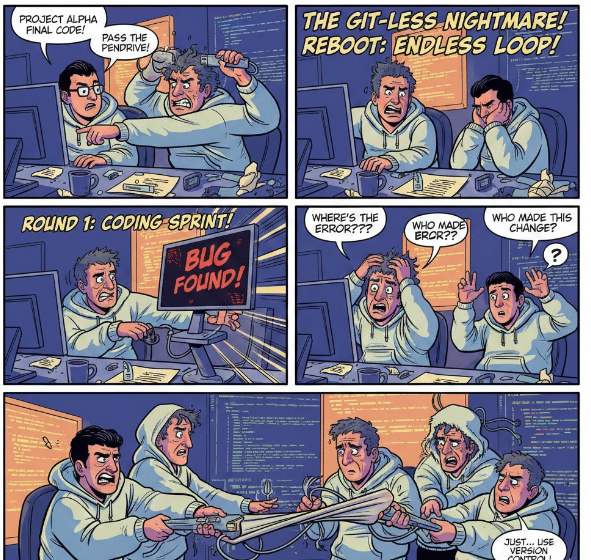
Since we didn’t know about proper tools, we used the only "cloud" service we had: A Physical Pendrive. Ramesh would finish his backend code, put it on the PD, and walk it over to me. But the moment I plugged it in, I was lost. I couldn't understand anything! I didn't know which lines he changed or which files were new.
To make it worse, our project folder started looking like a graveyard of confusion:
project_v1project_v2_finalproject_v2_final_FINALproject_v3_ramesh_updated
The "Wait Your Turn" Nightmare
One day, Ramesh called me: "Hey, I forgot to fix a bug in the backend!" But Suresh already had the Pendrive at his house! I had to wait until the next day to get the PD from Suresh, give it to Ramesh, wait for him to fix it, and then get it back. We were spending more time traveling with a Pendrive than actually coding.
The Solution: Version Control Systems (VCS)
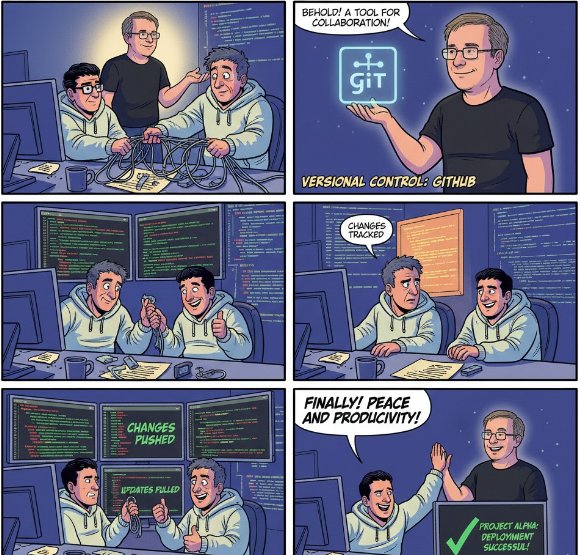
We realized we needed a "Tracker"something installed inside our machines to record every single change. This is what we call a Version Control System.
Think of Version Control as a checkpoint in a video game. If you face a difficult "boss level" (a nasty bug) and lose, you don't start the whole game over. You simply restart from your last checkpoint. In software, VCS allows you to "rewind" your code to any point in time when it was working perfectly.
A Quick History Lesson
Before Git became the king of the jungle, developers used systems like SCCS (Source Code Control System), SVN (Subversion), or Perforce. These were often expensive, slow, or hard to use. Git was created to make this process accessible, fast, and most importantly distributed.
Git & GitHub
This is exactly where the dynamic duo of Git and GitHub comes in to save teams like ours from "Pendrive Hell."
1. Git → VCS (The Tracker )
Git is the tool we installed "inside the machine." It tracks every change, every version, and every bug fix. No more final_v1 or final_v2 folders. Git remembers everything for you in a hidden folder called .git.
2. GitHub →VCS Remote or Remote (The Server)
If Git is the tracker, GitHub is the Cloud Server where we host that tracker. Instead of passing a physical Pendrive, we now "Push" our code to GitHub. Ramesh and Suresh can "Pull" my changes instantly from anywhere in the world.
The Modern Developer Workflow
Once you move from Pendrives to Git, your daily routine looks like this:
Modify: You write code for a new feature.
Stage (
git add .): You gather your changes into the "loading dock."Commit (
git commit -m "msg"): You take a permanent snapshot of your work.Push: You send that snapshot to GitHub so your team can see it.
So, If you are still using Pendrives, Google Drive, or WhatsApp to share your code, you are living in the "Dark Ages." Git is your personal history tracker, and GitHub is your team's digital meeting point. Together, they solve the collaboration problem and let you focus on what actually matters: Building cool stuff.
A Quick Tip for Your Resume
When you are listing your skills on your resume, write "Git," not "GitHub." Why? Because Git is the actual technical skill and the version control system you are using. GitHub is just the hosting service (the server). Recruiters look for Git to see if you understand how to manage code!🙄