Getting Started with cURL
What is cURL?
cURL which stands for client URL and can be written as curl , is a command line tool for file transfer with a URL syntax. It supports a number of protocols including HTTP, HTTPS, FTP, and many more. HTTP/HTTPS makes it a great candidate for interacting with APIs!
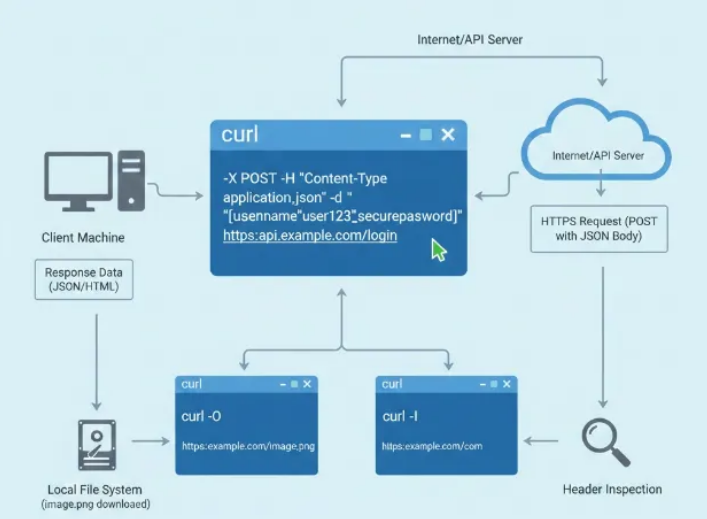
curl can be used on just about any platform on any hardware that exists today. This means, regardless of what you are running and where, the most basic curl commands should just work. None of the usual “it doesn’t work on my machine”
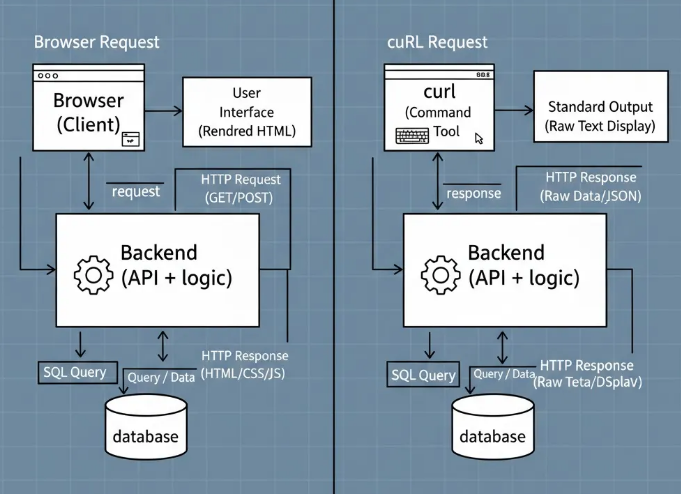
Why Me (Programmer🥺) Need cURL
I use cURL because it helps them:
Test APIs without writing code
Debug backend services
Check server responses quickly
Understand HTTP deeply
Reproduce issues exactly
If you work with APIs, backend systems, or DevOps, cURL becomes a daily tool.
| Flag | Purpose |
-X | Specifies the HTTP method (e.g., POST, DELETE). |
-H | Adds a header (e.g., 'Content-Type: application/json'). |
-d | Sends data (the payload) in a POST request. |
-i | Includes the HTTP response headers in the output. |
-u | Provides credentials for Basic Authentication. |
-L | Follows redirects automatically. |
Now lets do some laundry
lets pull something from actual website using curl command
for example il do pull data from my resume website
curl https://www.jatin4224.info/
output
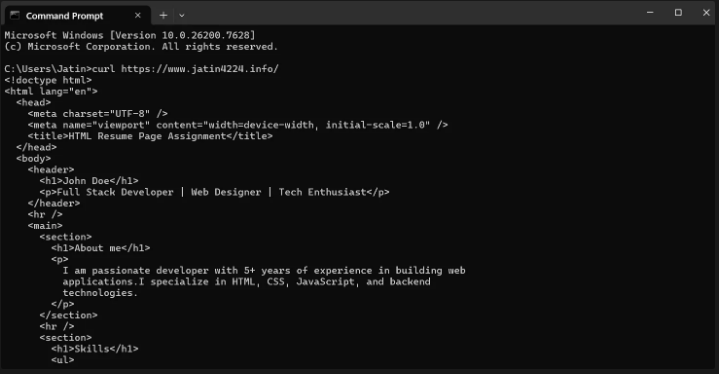
by default the curl command will disply the output in our terminal but i want to get output in file so for that i’ll use command
curl https://www.jatin4224.info/ -o output.html

📁 Where is the file saved?
The file is saved in your current directory.
Check it with:
dir
If you want to save it somewhere else:
curl <https://www.jatin4224.info/> -o C:\\Users\\Jatin\\Desktop\\site.html
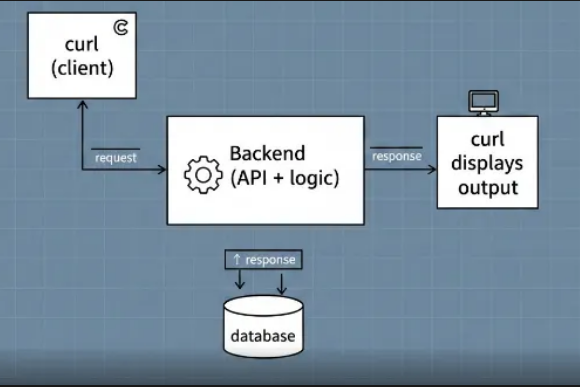
Now, let's create more GET and POST API requests using cURL. But before that, I want to explain the concept of requests and responses.
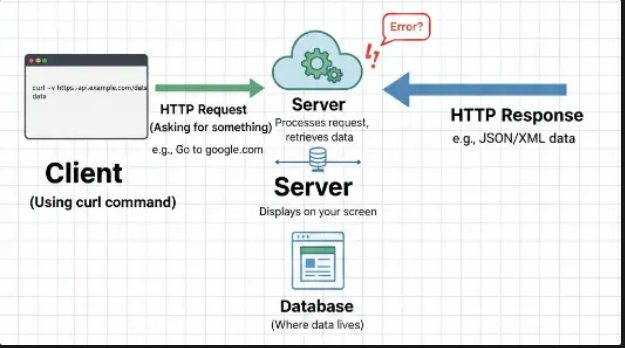
What is a request?
A request simply means asking for something. In web applications, the frontend asks the server (backend) for a resource. Since the frontend cannot directly access server data, it sends a request to the server.
A request is not only used to get data. It can also be used to:
Create new data
Update existing data
Delete data
Examples of requests
For a Todo app, common requests are:
Create a Todo
Update a Todo
Read a Todo
What is a response?
A response is what the server sends back after receiving a request.
If a request is a question, the response is the answer.
What does a response contain?
A response usually includes:
Status code: a number that tells whether the request was successful or not
Headers: extra information about the request and response
Response body: the actual data returned by the server (for example, a list of todos)
Now, I’m building a Todo app. To test my API, I don’t have Postman, so I’m using cURL to test my GET, POST, and DELETE APIs.
Todo API Structure
GET     /api/todos
POST    /api/todos
DELETE  /api/todos/:id
Base URL:
<https://www.jatin4224.info>
GET Request (Read Todos)
A GET request is used to fetch data from the server.
Get all todos
curl <https://www.jatin4224.info/api/todos>
This sends a request to the backend and returns a list of todos, usually in JSON format.
Get a single todo
curl <https://www.jatin4224.info/api/todos/1>
This fetches the todo with ID 1.
POST Request (Create a Todo)
A POST request is used to send data to the backend and create a new resource.
curl -X POST <https://www.jatin4224.info/api/todos> ^
-H "Content-Type: application/json" ^
-d "{\\"title\\":\\"Learn curl\\",\\"completed\\":false}"
DELETE Request (Delete a Todo)
A DELETE request removes data from the backend.
curl -X DELETE <https://www.jatin4224.info/api/todos/1>
The backend deletes the todo and sends back a confirmation response.
About the author
Aspiring Full-Stack Developer
Comments
Join the discussionNo comments yet. Be the first to comment.